Stadium Showcase makes it easy to practice and dial in presets by letting you play full songs from your pedal, mute all the guitars and play the whole song yourself, mute just the lead or rhythm guitar to work on specific parts, and automatically switch presets and snapshots so you can stay focused on playing and tone.
Here’s how I do it, step by step.
First thing you need is the song as an audio file. Pretty much anything works as long as it’s a real audio file you can upload later.
Stadium and Moises can work with:
MP3, WAV, FLAC, M4A, MP4, MOV, WMA
You already have it
If you’ve bought the song or already have it in your library, you’re good.
Rip it from a CD or other physical media
Old-school, but still one of the cleanest ways to get high-quality audio.
Rip it from YouTube or streaming services
A lot of people use third-party ripping sites or software to grab audio from YouTube or streaming platforms.
Common methods:
YouTube ripping websites or desktop apps
Streaming service rippers
Video-to-audio converters
System audio recorders that capture what’s playing
For best results later, try to get the highest quality version you can. WAV or FLAC is ideal, but a good MP3 will still work.
Once you’ve got the song, the next move is breaking it into stems (ex. extracting the lead guitar track form the song) so you can control what you hear while practicing.
I use Moises.ai for this—it’s great, and like StadiumDepot (wink wink, please support this site), it’s a small monthly or yearly subscription that’s absolutely worth it if you like supporting good tools built by real developers.
Open the Moises desktop app
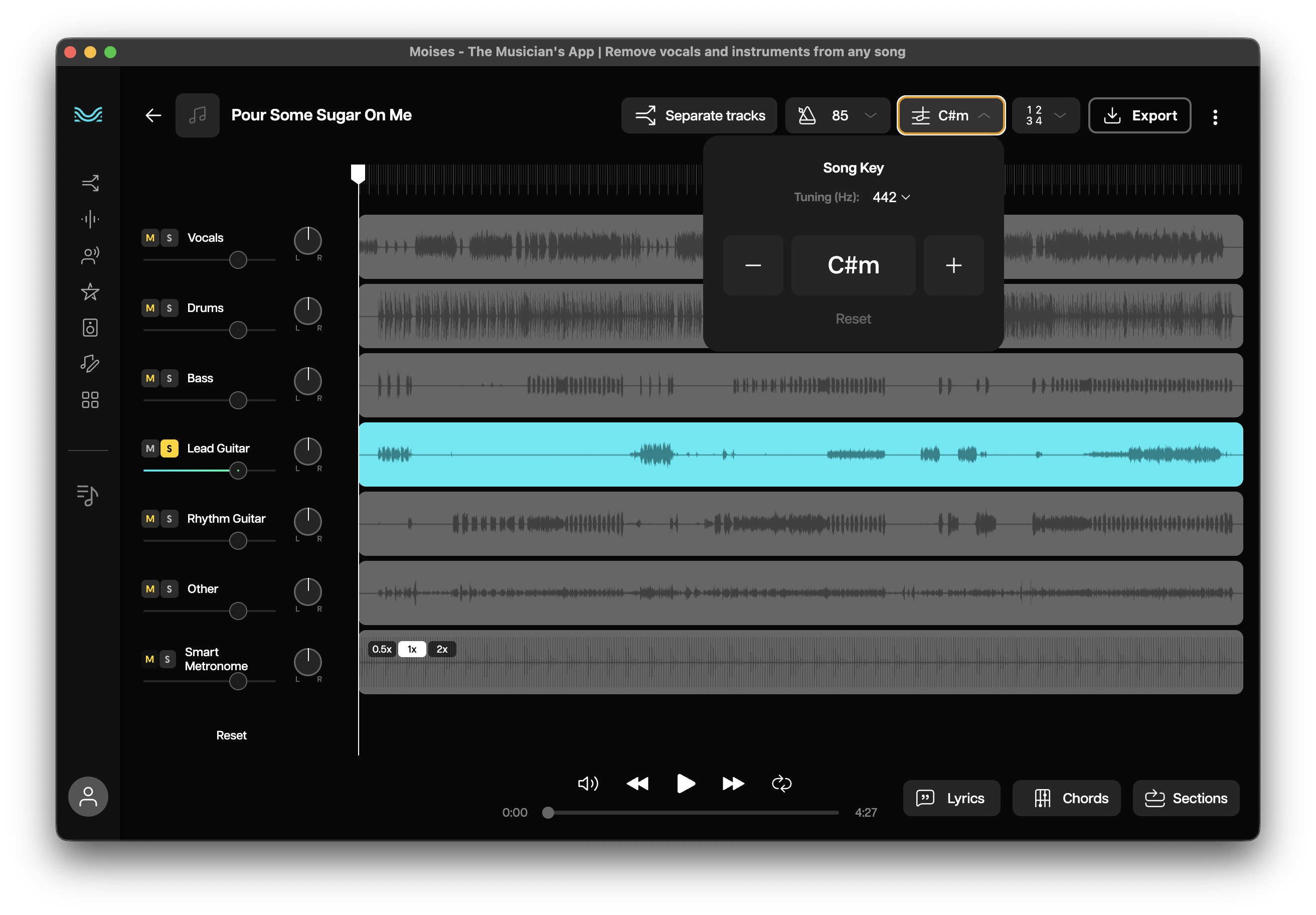
Use the desktop app, not the web version. The desktop app lets you transpose the song (ex. recording is in Eb but your band plays it in E) and export the corrected audio.
Start track separation
Click Track Separation and drag in your audio file.
Pick your stem setup
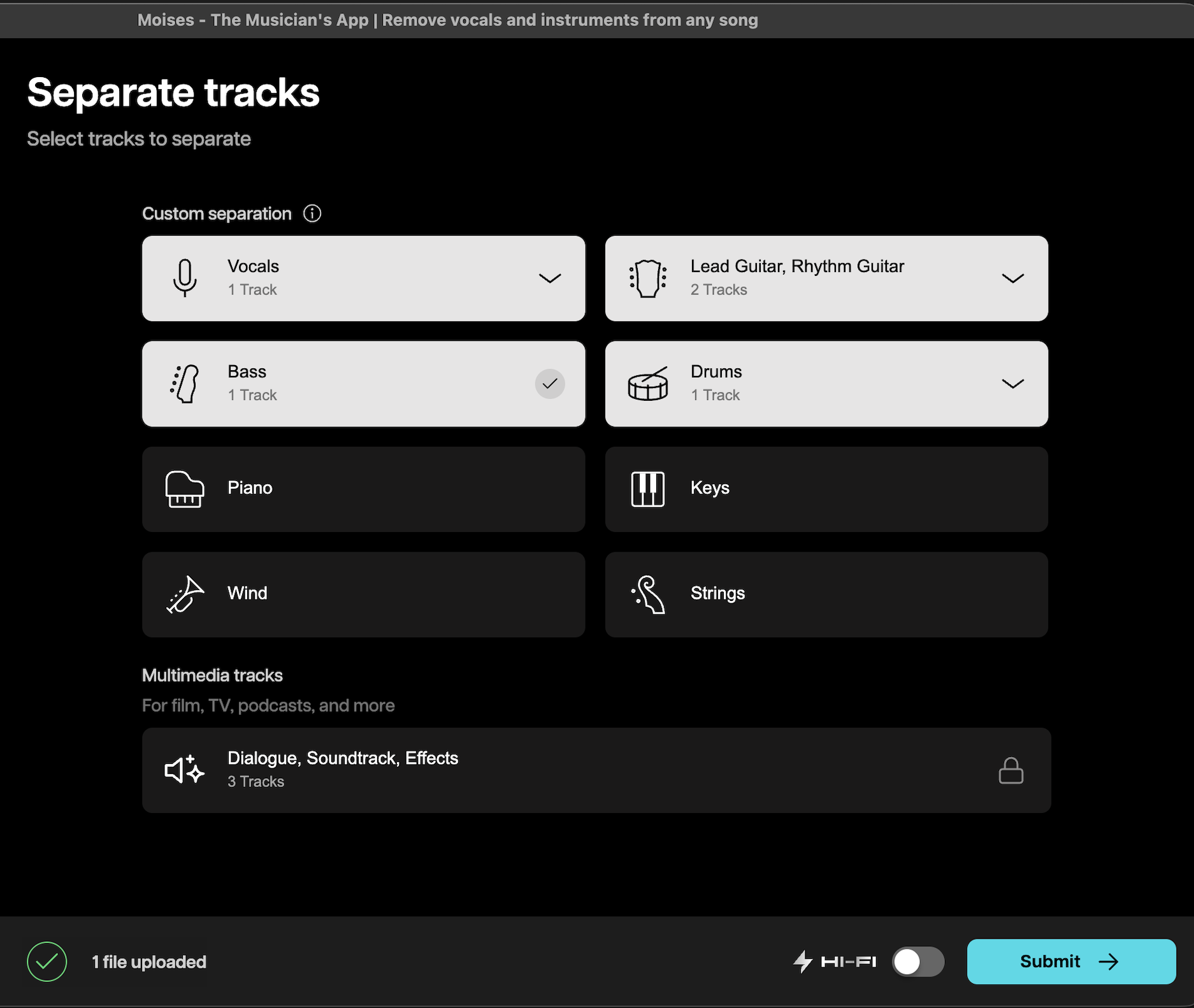
I usually choose:
1 vocal track
1 bass track
1 drum track
1 rhythm guitar track
1 lead guitar track
This separates into the 3 key tracks needed (backing track aka no guitars, rhythm guitar, and lead guitar).
Submit it
Hit submit and let Moises do its thing.
Now comes the important part—exporting the versions you’ll actually use in Stadium.
Set the key and tuning
If the recording is not in your desire key and or tuning, fix that now.
Export the backing track
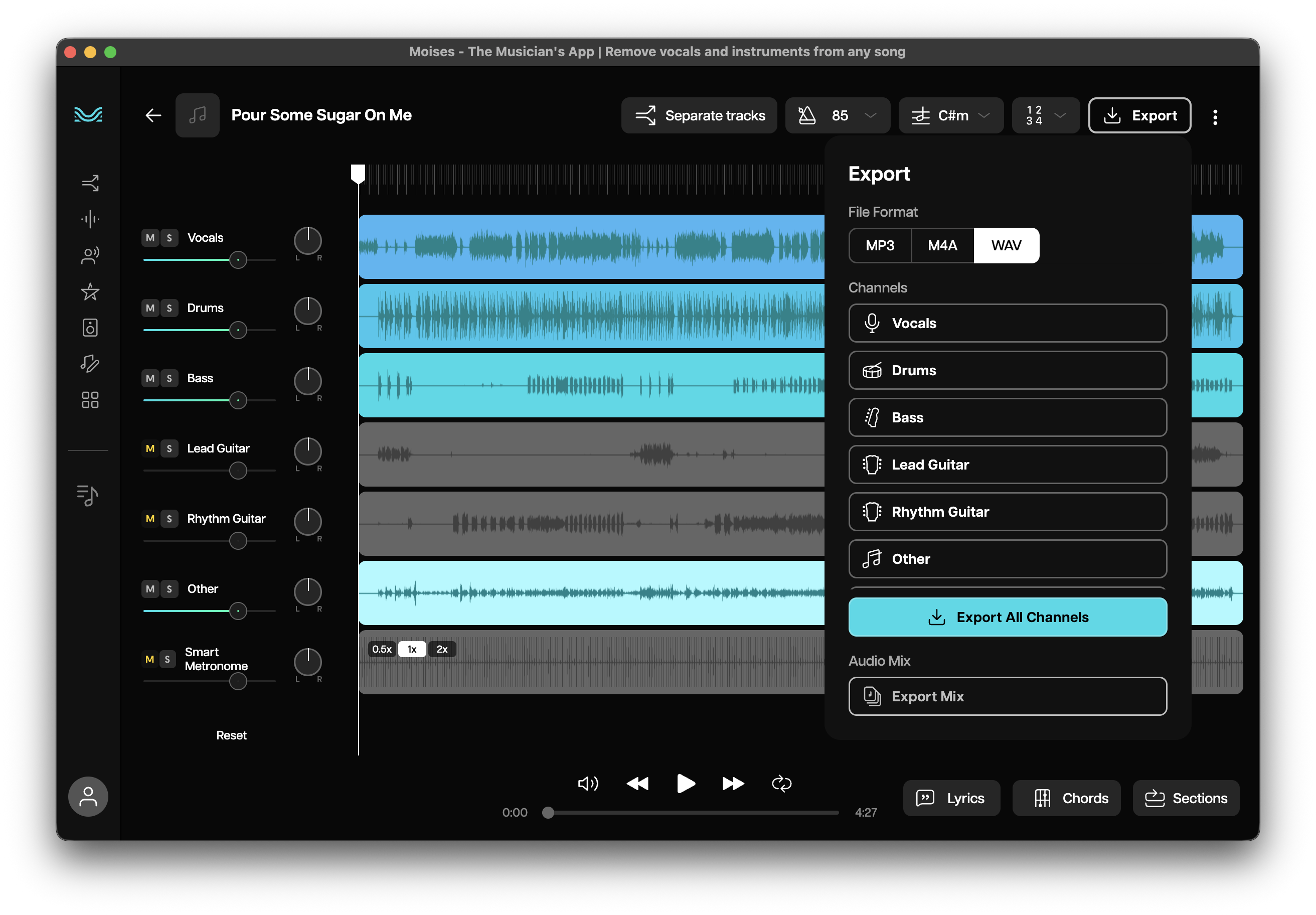
Mute both rhythm and lead guitar
Export the mix as WAV
Export the rhythm guitar track
Solo the rhythm guitar (mute everything…
Create a free StadiumDepot account to unlock the rest of this article and access presets and more.
Create Free AccountFree account • No credit card
Already have an account? Sign in